

BJD Wear-Resistant Resin
Couldn't load pickup availability



Video

Exclusive BJD Color Codes & Anti-Yellowing
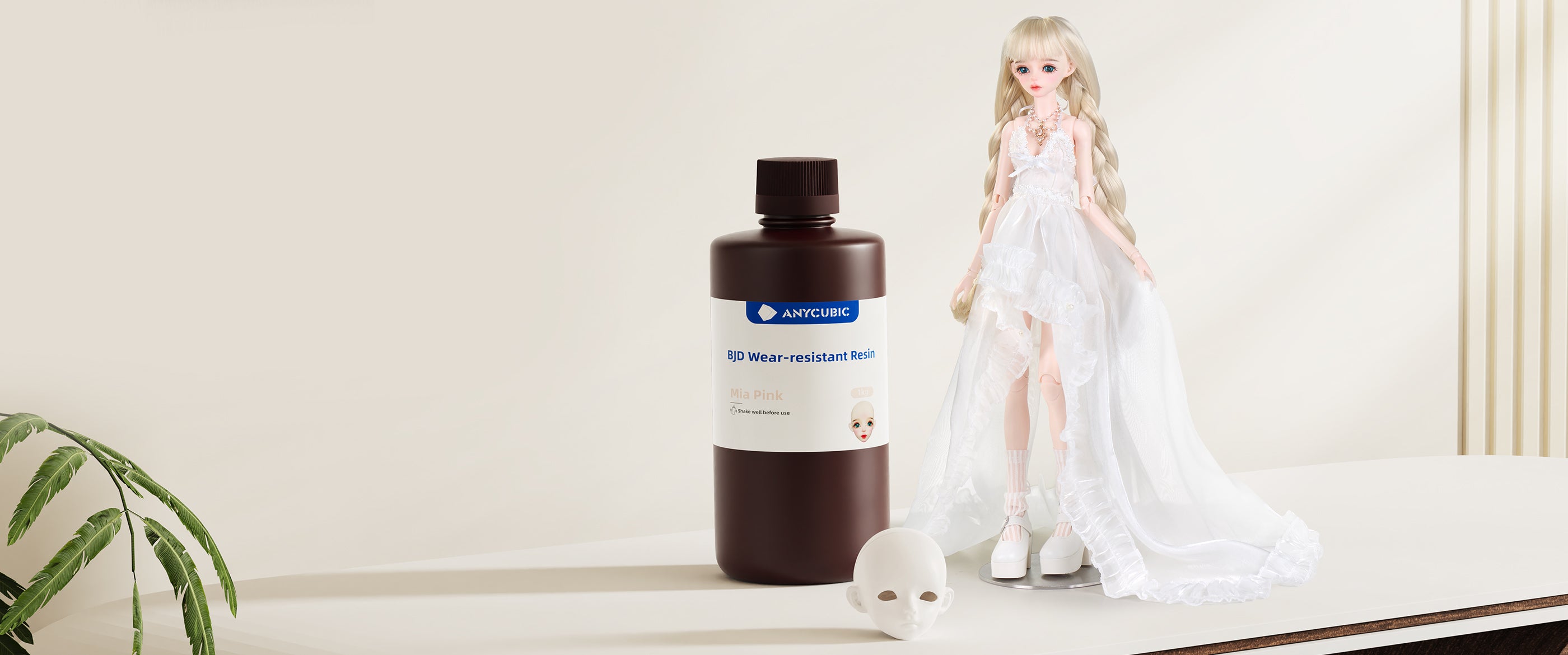
The Anycubic BJD Wear-Resistant Resin is specifically formulated for mainstream BJD skin tones, boasting natural and authentic hues that closely mimic the texture of human skin. Featuring a powerful anti-yellowing agent, it effectively prevents discoloration. Whether under display case spotlights or indoor fluorescent lighting, the skin tone remains pure as new.


Eliminating Scratch Marks & Powdering
Anycubic’s wear-resistant BJD resin is formulated for high surface hardness and precision-fit assembly. The ball joints withstand repeated articulation stress with minimal surface wear and zero powering.


Engineered for Durability
This advanced BJD formulation incorporates a resilience-enhancing agent to maximize overall toughness. With mechanical performance comparable to ABS-Like 3.0 resins, it minimizes wear on ball joints and surfaces during assembly (such as elastic cord stringing), frequent posing, or accidental drops—keeping your dolls crack-free while maintaining a pristine aesthetic.


Micron-Level Precision for Effortless Assembly
The cured model surface is smooth and refined, with virtually invisible layer lines. Precise tolerances ensure a seamless fit at the head cap, magnet holes, and torso connections. With no aggressive sanding or gap-filling required.

Micron-Level Precision for Effortless Assembly
The smooth, matte finish eliminates the need for post-sanding, allowing for direct face-up and blushing application. This high-adhesion surface is resistant to thinners, making it easy to clean and refine. Creators can perform multiple adjustments or detailed customizations—such as limb dyeing—with total confidence.

Easy Makeup Application
The smooth, matte finish eliminates the need for post-sanding, allowing for direct face-up and blushing application. This high-adhesion surface is resistant to thinners, making it easy to clean and refine. Creators can perform multiple adjustments or detailed customizations—such as limb dyeing—with total confidence.


Download
Color Type
Recommended Printing Parameters
| Printer Model | Layer Thickness | Exposure Time | Light-Off Time | Bottom Exposure Time | Bottom Layers | Anti-Aliasing Level | Z Lift Distance | Z Lift Speed | Z Retract Speed |
| Photon P1 | 0.05 mm | 2.2 s | 2 s | 30 s | 1 | 4 | 5 mm | 3 mm/s | 3 mm/s |
| Photon Mono M7 | 0.05 mm | 2 s | 0.5 s | 40 s | 5 | 1 | 8 mm | 6 mm/s | 6 mm/s |
| Photon Mono M7 Pro | 0.05 mm | 2 s | 0.5 s | 40 s | 5 | 1 | 8 mm | 6 mm/s | 6 mm/s |
| Photon Mono M7 Max | 0.05 mm | 2 s | 0.5 s | 45 s | 5 | 1 | 8 mm | 6 mm/s | 6 mm/s |
| Photon Mono M5 | 0.05 mm | 2.8 s | 0.5 s | 35 s | 6 | 1 | 8 mm | 6 mm/s | 6 mm/s |
| Photon Mono M5s | 0.05 mm | 3 s | 0.5 s | 35 s | 5 | 1 | 8 mm | 6 mm/s | 6 mm/s |
| Photon Mono M5s Pro | 0.05 mm | 3.6 s | 1 s | 40 s | 5 | 1 | 8 mm | 6 mm/s | 6 mm/s |
| Photon Mono 4 | 0.05 mm | 2.8 s | 0.5 s | 35 s | 5 | 1 | 6 mm | 4 mm/s | 6 mm/s |
| Photon Mono 4K | 0.05 mm | 2 s | 0.5 s | 40 s | 6 | 1 | 6 mm | 4 mm/s | 6 mm/s |
| Photon Mono 4 Ultra | 0.05 mm | 2.5 s | 0.5 s | 35 s | 5 | 1 | 5 mm | 8 mm/s | 8 mm/s |
| Photon Mono 2 | 0.05 mm | 2.5 s | 1 s | 40 s | 5 | 1 | 6 mm | 4 mm/s | 6 mm/s |
| Photon Mono X2 | 0.05 mm | 2.5 s | 0.5 s | 40 s | 5 | 1 | 8 mm | 2 mm/s | 3 mm/s |
| Photon Mono X 6K | 0.05 mm | 2 s | 0.5 s | 35 s | 6 | 1 | 8 mm | 2 mm/s | 3 mm/s |
| Photon Mono X 6Ks | 0.05 mm | 2.5 s | 0.5 s | 35 s | 6 | 1 | 8 mm | 2 mm/s | 3 mm/s |
| ANYCUBIC Photon Mono M3 Max | 0.05 mm | 3 s | 2 s | 30 s | 6 | 1 | 10 mm | 4 mm/s | 4 mm/s |
| ANYCUBIC Photon Mono M3 Premium | 0.05 mm | 2.5 s | 0.5 s | 40 s | 3 | 1 | 8 mm | 6 mm/s | 6 mm/s |
Instructions for Use
1. Before use:
Shake liquid resin well
Clean resin vat and build plate
Ensure vat bottom remains highly transparent
Confirm release film is undamaged
Verify correct print parameter settings
Recommended printing environment: 20-35 °C (to prevent temperature-related failures)
2. During Use:
Unscrew bottle cap and remove sealing film
Pour resin into vat without exceeding max fill line
3. After Printing:
Use included tools for post-processing:
Scraper / Flush cutters / Tweezers / Gloves / ≥95% IPA cleaning solution
4. Post-Processing:
A. Remove models from build plate using a scraper; remove supports
B. Clean models in Anycubic Wash & Cure machine for ~10 minutes (use ≥95% alcohol or cleaner)
C. Dry models: Air-dry, blow-dry, or use drying chamber (prevents water absorption/cracking)
D. Secondary curing: Cure models for 3-5 minutes
E. Resin recycling: Filter through a 100-mesh sieve
Precautions
- Store at room temperature away from light
- Recommended use temperature: >20°C (low temperatures reduce success rate; high temperatures accelerate pigment settling)
- If pigment settles: Stir with plastic scraper or shake resin bottle
- Resin cures under sunlight: Print in dim, ventilated areas or cover printer
- Remove models promptly after washing to avoid property degradation
- Always wear nitrile gloves and goggles (avoid skin/eye contact)
- Waste disposal: Cure resin completely before discarding as solid waste
- Maintain ventilation; keep liquid away from pregnant women, children, and pets
Notes
Material properties may vary based on: Printing equipment, Post-curing methods, Testing instruments
For safety data/certifications (MSDS, REACH, RoHS, EAN, TDS): Refer to product documentation
Contact us with any issues